
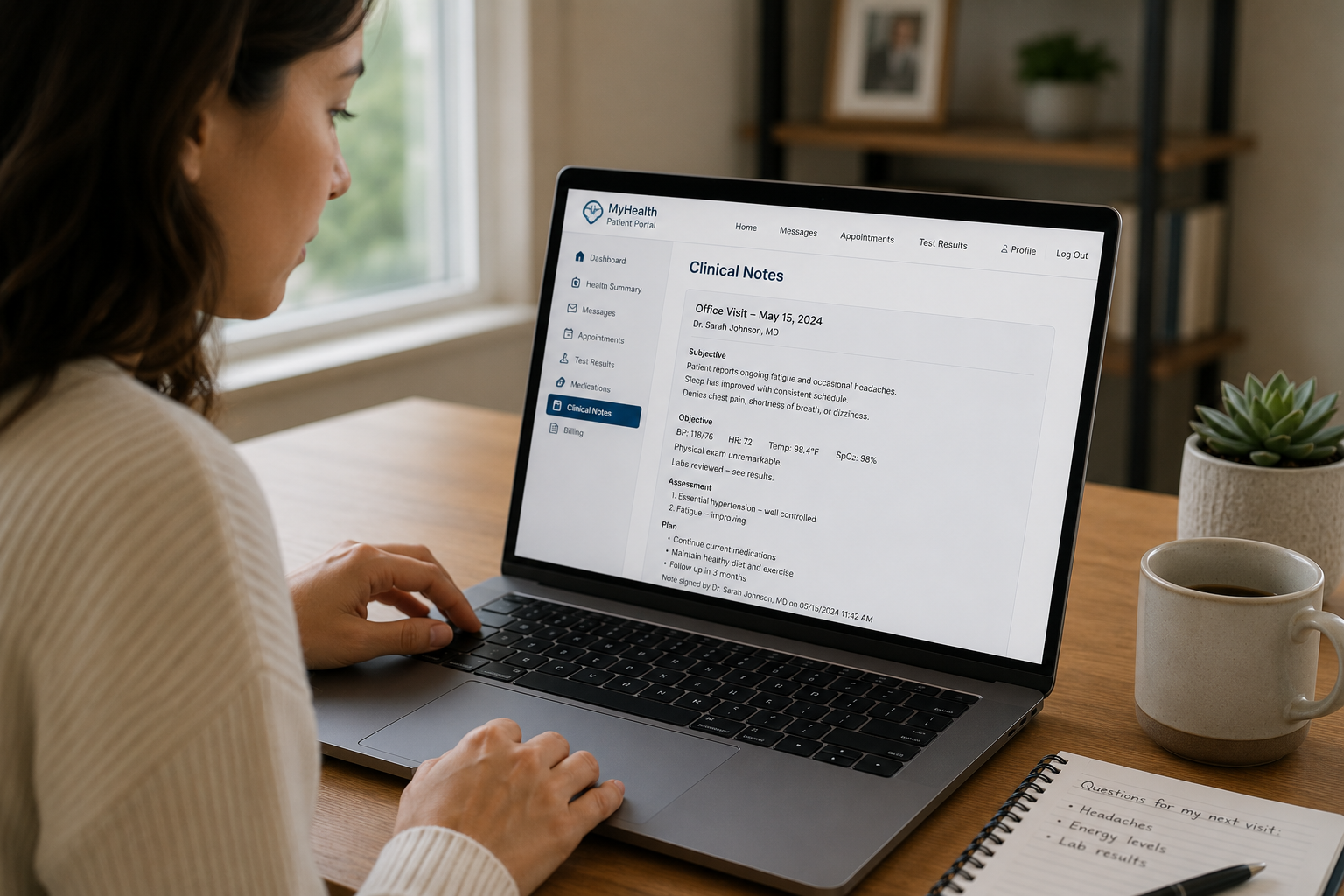
Have you ever logged into your patient portal, opened your doctor's visit notes, and felt like you were reading a different language?
Phrases like "Pt c/o intermittent epigastric pain x3 wks, NAD, f/u PRN" can look intimidating — but they are not secret codes. They are simply fast shorthand that clinicians use to document a visit efficiently.
Once you know the shorthand, your own chart becomes one of the most useful tools you have — for tracking your health over time, preparing for appointments, and catching things that might need follow-up.
Step 1: Find your notes in your patient portal
Log into your patient portal
Most hospitals and clinics use a portal (such as MyChart or a similar system) where visit summaries, lab results, and clinical notes are posted, often within a few days of your appointment.
Look for "Visit Notes" or "Clinical Notes"
This is different from the "After Visit Summary" handout you may receive at checkout. The clinical note is the doctor's own documentation — often more detailed, and written in clinical shorthand.
Step 2: Understand the structure of a typical note
Most clinical notes follow a structure often referred to as SOAP — a format used widely across medicine:
- S — Subjective: What you told the doctor (your symptoms, in your own words as documented by them)
- O — Objective: What the doctor observed or measured (vitals, exam findings, test results)
- A — Assessment: The doctor's interpretation — what they think is going on
- P — Plan: What happens next — medications, referrals, follow-up timing
Knowing this structure alone helps enormously — if you are looking for "what happens next," skip to the Plan section. If you want to know what the doctor actually observed, look at Objective.
Step 3: The plain-English glossary of common abbreviations
Here are some of the most frequently used abbreviations you are likely to encounter in your own notes:
| Abbreviation | What it means |
|---|---|
| Pt | Patient |
| c/o | Complains of (e.g. "c/o headache" = patient reports a headache) |
| Hx | History (e.g. medical history, family history) |
| Dx | Diagnosis |
| Rx | Prescription or treatment |
| Tx | Treatment |
| f/u | Follow-up |
| PRN | As needed (from Latin "pro re nata") |
| NAD | No acute distress (the patient does not appear to be in immediate, severe distress) |
| WNL | Within normal limits (a result falls into the expected healthy range) |
| Acute | Sudden onset, often short-term |
| Chronic | Long-term or ongoing |
| Benign | Not harmful (commonly used for non-cancerous growths) |
| Idiopathic | The cause is unknown |
| BP | Blood pressure |
| HR | Heart rate |
| SOB | Shortness of breath |
| N/V | Nausea/vomiting |
| bid / tid / qid | Twice / three times / four times a day (for medication dosing) |
| qhs | Every night at bedtime |
| STAT | Immediately / urgently |
Step 4: How to use this when preparing for your next appointment
Once you can read your own notes, your chart becomes a tool for being a more prepared, engaged patient — without needing to second-guess your care team.
Review the "Plan" section before your follow-up
Before your next appointment, re-read the Plan from your last visit. Did everything listed happen — referrals sent, tests completed, medication started? If something didn't happen, that's a useful thing to mention.
Write down anything unclear — and ask about it directly
If you see a term or abbreviation you don't recognize, write it down. Asking your doctor "I saw [term] in my notes — could you explain what that means for me?" is a completely normal and welcomed question.
Use this script if you need clarification
Preparing for a bigger appointment?
If you have a major test or procedure coming up, knowing how to read your chart is just one part of preparation. Our guide on questions to ask your doctor before surgery or a major test covers both the clinical and administrative side of getting ready.
And if you're helping a parent or family member understand their own chart, our Caregiver Guide to navigating healthcare for an elderly parent covers portal proxy access and more.
🎁 Ready for your next appointment?
Download our free Smooth Check-In Patient Binder — track symptoms, medications, and questions so you walk into every appointment prepared.
Download the free binder →External sources & further reading:
🔗 OpenNotes — Patient access to clinical notes
🔗 MedlinePlus (U.S. National Library of Medicine)
🔗 HealthIT.gov — Information blocking and patient access rules